Sell more tickets. Keep the scares coming.
Make it easy to buy tickets for your haunted house. Let guests choose an arrival time, add VIP tickets, or buy a pass for several haunts. Your team scans them in at the gate, and you can see how the night is going.
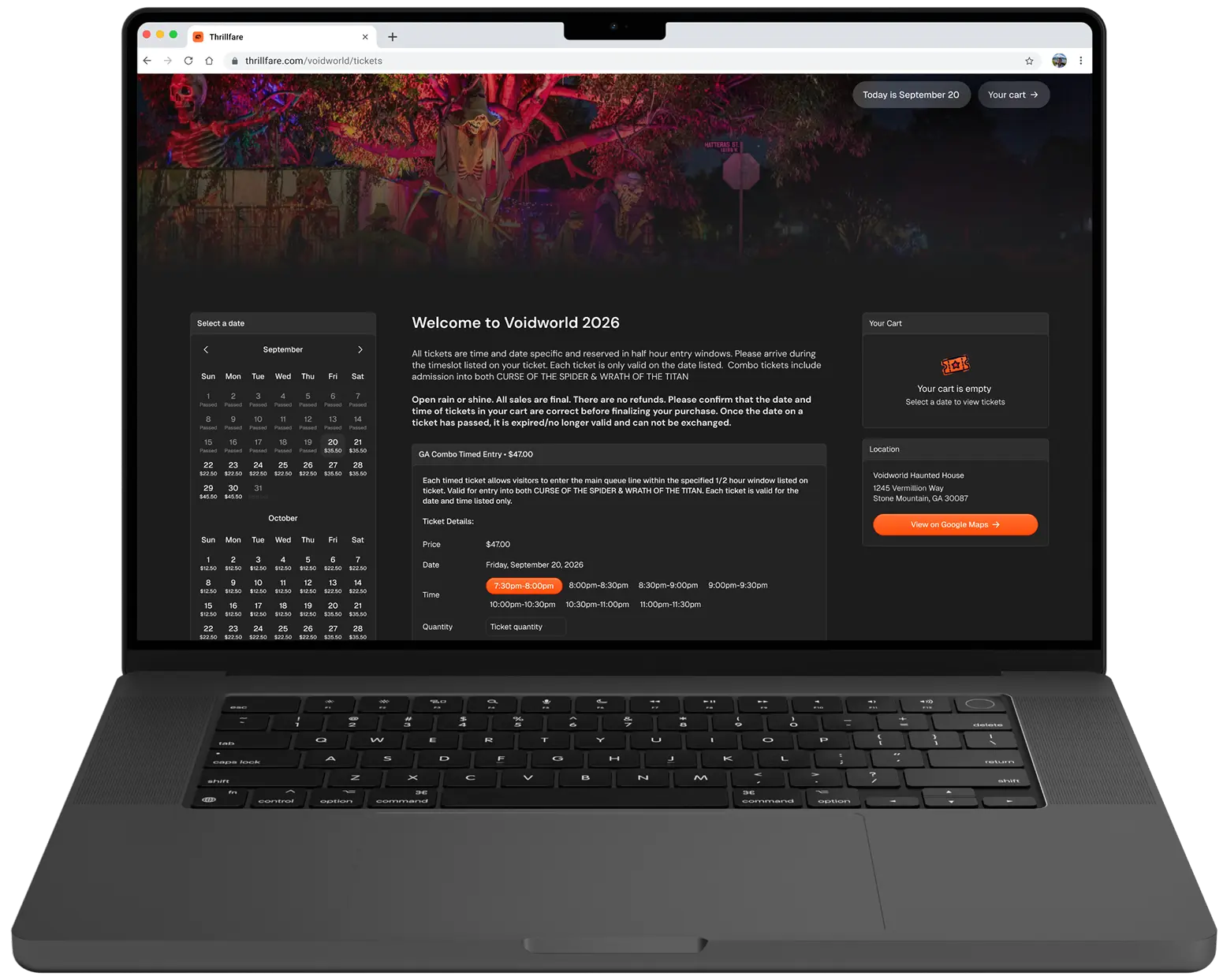
Sell tickets online
before guests arrive.
Guests can buy haunted house tickets right from their phone. They choose when to come, pay with Apple Pay, Google Pay, or a card, and get a QR ticket to show at the gate.
Sell VIP tickets
and passes for every haunt.
Offer standard tickets, VIP upgrades, and one pass for several haunted houses. Guests can choose an arrival time and add extras in the same purchase.
Keep your line moving
with ticket scanning.
Your team scans each ticket with the mobile app to check it is valid. Ticket sales and check-ins stay together, making it easier to run the gate on your busiest nights.
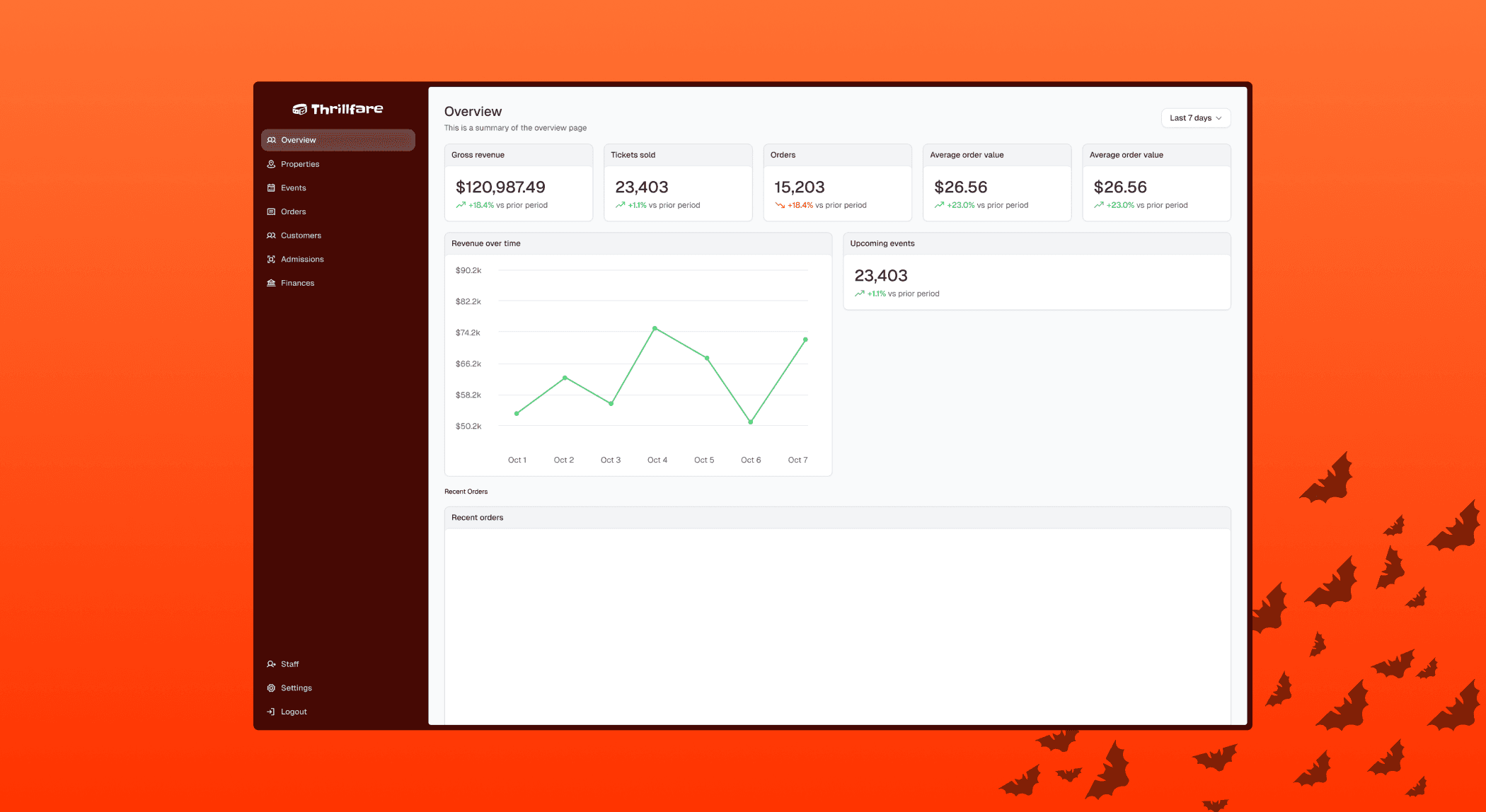
See nightly sales
and attendance live.
See how much you have sold and how many guests have arrived, as it happens. Find orders, issue refunds, and run special offers in the same dashboard, whether you have one haunted house or several.
Tickets for your haunted house
for $0.50 per ticket sold
Pay $0.50 for each ticket you sell. Cover the fee yourself or have the buyer pay it. Online sales, VIP tickets, and ticket scanning are all included. Payment processing fees are separate.
Plus payment processing fees.
Haunted house ticket checkout
Let guests choose their tickets and pay online from a phone or computer.
Arrival times and VIP tickets
Let guests pick an arrival time and choose standard or VIP tickets.
Passes and extras
Sell one pass for several haunted houses and let guests add extras.
Scan tickets at the gate
Staff can scan tickets and check guests in with the mobile app.
Orders, refunds, and special offers
Find orders, issue refunds, and set up special offers in your dashboard.
See nightly sales and guest numbers
See ticket sales and how many guests have arrived across your locations.
Questions from haunted house owners
Selling tickets, running the door, and knowing what you pay.
Is Thrillfare built for haunted houses?
Yes. Sell haunted house tickets online, let guests choose an arrival time, and offer VIP tickets or passes for several haunts. Staff scan tickets at the gate, while you keep track of orders and sales in one dashboard.
Can guests choose what time to arrive?
Yes. Set up tickets for specific dates and arrival times. Guests choose an available time when they buy, helping you spread arrivals across the night.
Can I sell VIP tickets or one pass for several haunts?
Yes. Offer VIP tickets, sell one pass for several haunted houses, and let guests buy extras with their tickets.
How do staff check tickets at the entrance?
Guests get a ticket with a QR code after they buy. Your team scans it with the mobile app to check it is valid and let them in.
What does it cost to sell haunted house tickets?
Thrillfare charges $0.50 per ticket sold, plus payment processing fees. You can cover the Thrillfare fee yourself or pass it to the buyer. For 1,000 tickets, the Thrillfare fee is $500 before processing fees.
Can I manage more than one haunted house?
Yes. Keep tickets and orders for all your haunted houses in one dashboard. See sales and guest numbers as they come in throughout the season.
Can I run promotions and process refunds?
Yes. Find a customer order, issue a refund, or set up a special offer from your dashboard.